

Search
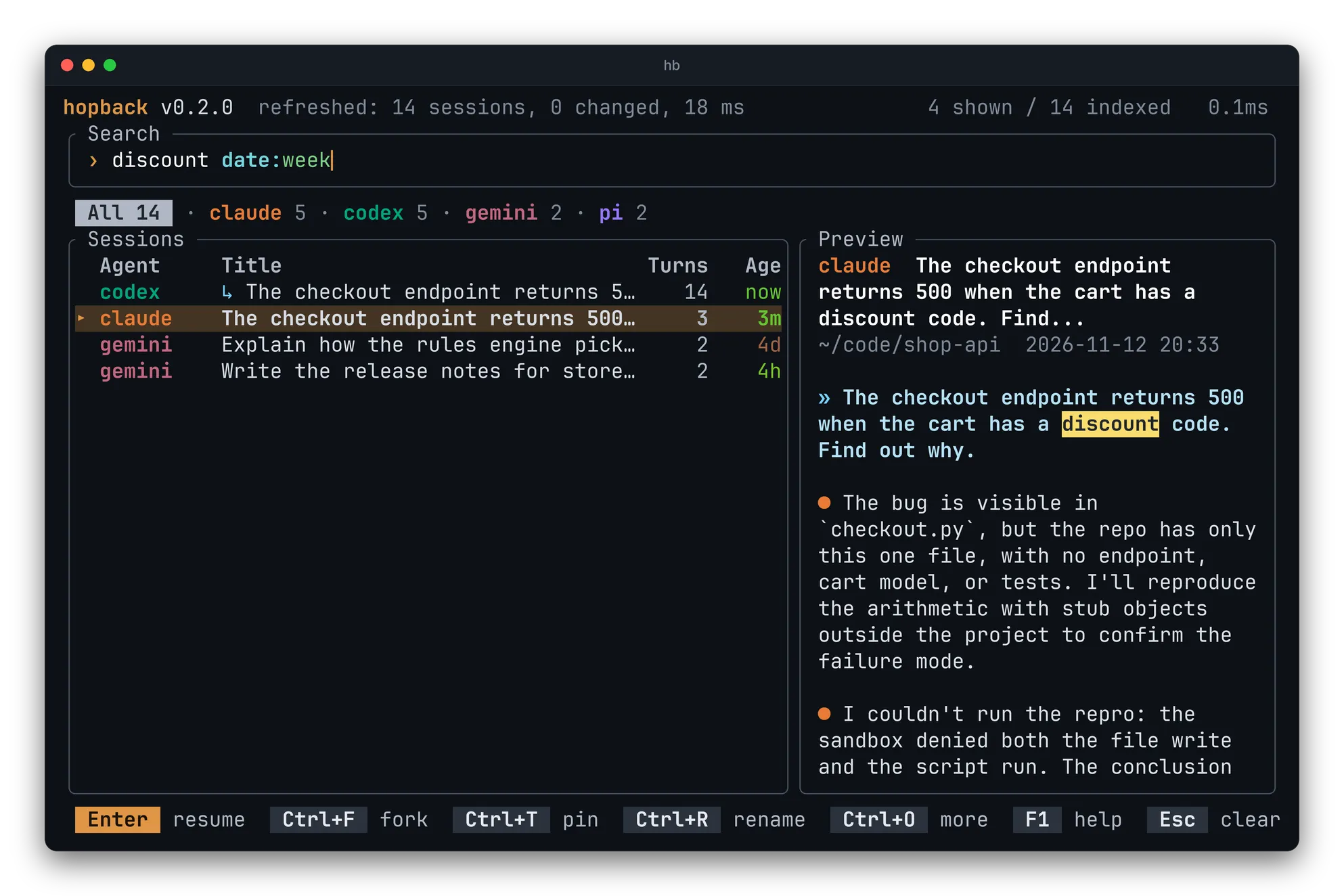
Free text matches titles, messages and folders. Keywords narrow it. They are colored as you type, and a value hopback does not know turns red.
Keywords
Section titled “Keywords”| Keyword | Example | Matches |
|---|---|---|
agent: |
agent:claude, agent:claude,codex, agent:!codex |
sessions of those agents, or of all but one |
dir: |
dir:backend |
sessions whose folder contains the text |
date: |
date:today, date:yesterday, date:week, date:month, date:<3d, date:>2w |
sessions by age |
Suggestions
Section titled “Suggestions”While you type an agent or a date, the rest is suggested after the cursor
(agent:cl shows aude). Tab or → takes it, and the list already shows the
suggested filter.
The agent tabs are search text
Section titled “The agent tabs are search text”Tab steps through the agents by rewriting the agent: filter in the search
line, so what you see there is always what is being filtered.
From the command line
Section titled “From the command line”The same text works as an argument, and with --json:
hb "auth bug"hb --json --limit 10 "agent:codex api error"