
Quick start
mapdiff is one command. Run it inside a git repository and it opens a map of that repository in your browser.
The four ways to start it
Section titled “The four ways to start it”mapdiff # the map, with your uncommitted changes drawn on itmapdiff main...HEAD # what this branch changed since it left mainmapdiff --commit HEAD # one commitmapdiff --pr 123 # a GitHub pull request, fetched from originThat is all there is to running it. It prints an address, opens it, and runs until you press Ctrl-C.
If the repository has no uncommitted changes, plain mapdiff opens the map with nothing drawn on it.
Your first review
Section titled “Your first review”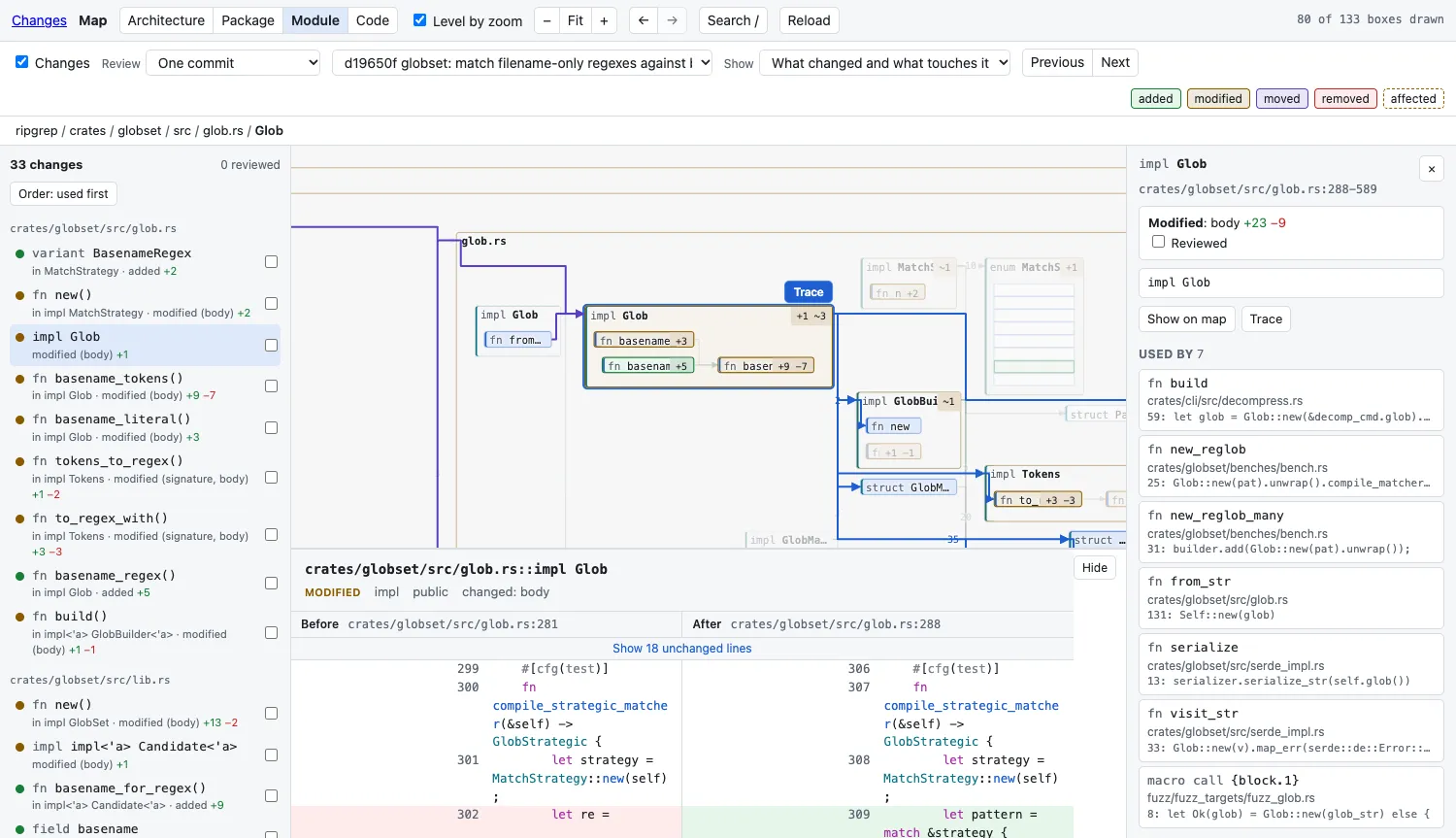
Say you are on a branch and want to read what it changed:
mapdiff main...HEAD- Look at the map. Coloured boxes are what changed: green added, amber modified, purple moved, red removed. Containers show how many changed things they hold.
- Press
N. The map moves to the first change, and its before and after open under the map. The order is chosen for reading: what is used comes before what uses it. - Read it, press
Rto mark it reviewed, pressNfor the next. The list on the left shows how far along you are. - Look for dashed borders. Those are functions that did not change but use something that did: removed, renamed, moved, or with a new signature.
Two things that help on a large change:
- Show: Only what changed (in the bar above the map) shrinks the map to just the changed parts.
3and4show more detail: functions, then their code.1and2show less.
Your first look around
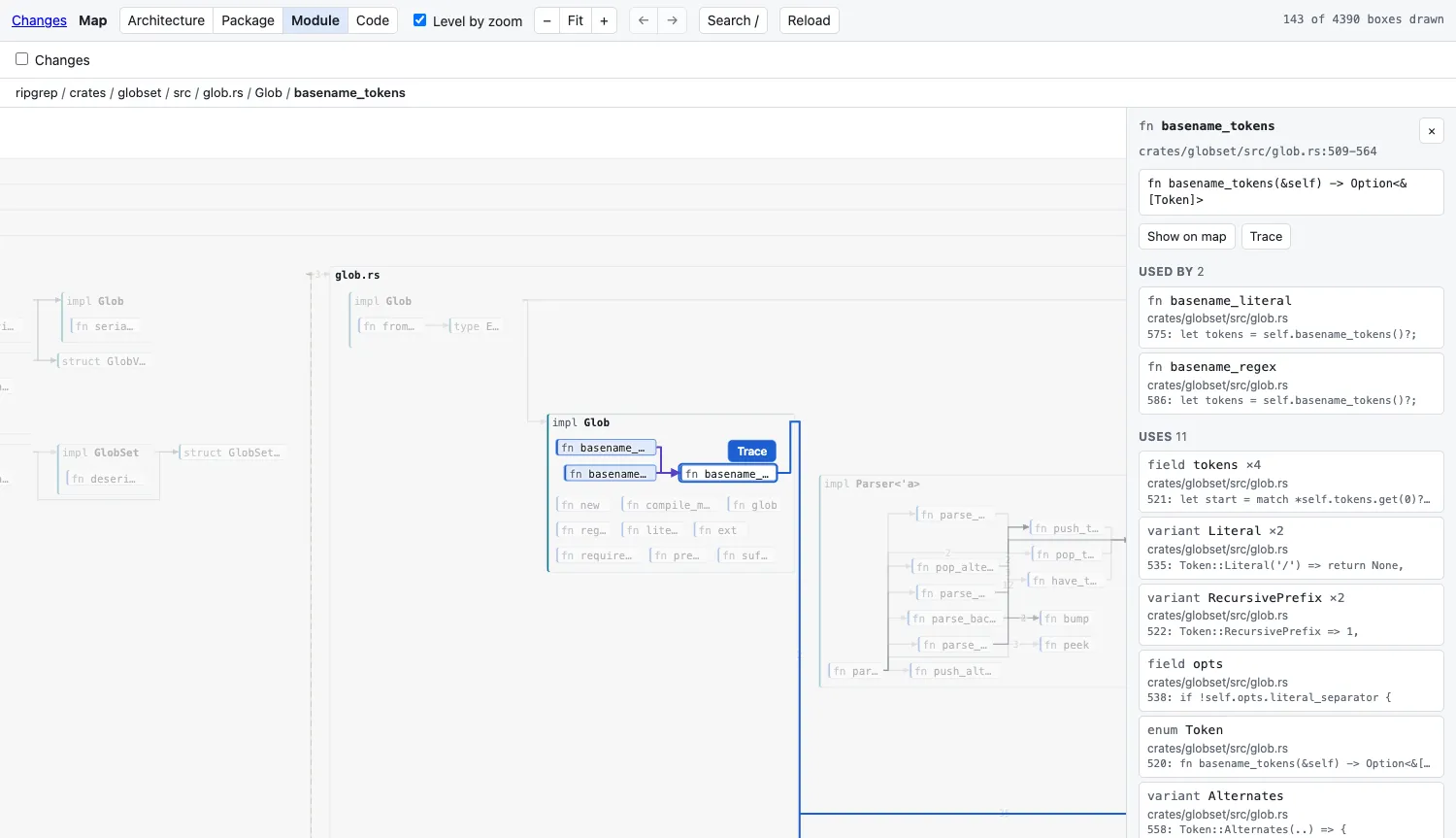
Section titled “Your first look around”Without a change drawn, the map is for reading code:
mapdiffUntick Changes if it is on. Then:
- Press
/and type a few letters of a function’s name. Enter jumps to it. - Click a box (or, when it shows code, its title bar). The map lights up who uses it and what it uses; the panel on the right lists them.
- Press
Tto trace it: its code in the middle, callers on the left, what it calls on the right.